
MapQuest: Get Directions
MapQuestMaps & Navigation
4.424.77K Reviews
- Version
- 10.30.0
- Installs
- 10.00M
- Age Rating
- Everyone
Screenshots
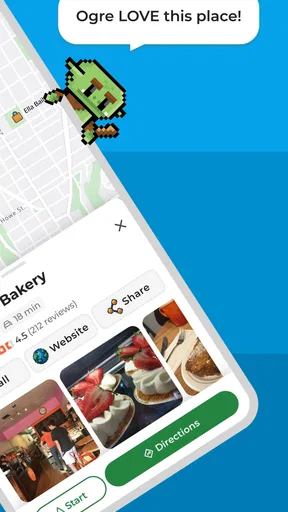
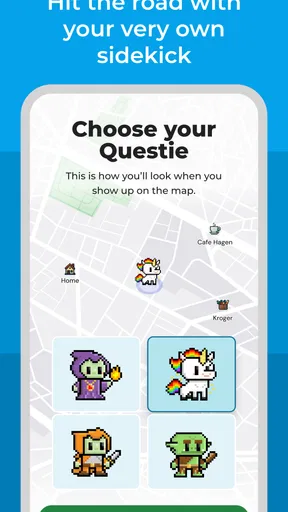


Our Review of MapQuest: Get Directions
 Analysis by Appyee
For a household that shares a car, a phone, or the job of running errands, MapQuest: Get Directions is most useful as a straightforward way to plan a drive together. I like that its familiar map-and-directions approach can help one person work out a route while another focuses on the practical details: where to stop, whether traffic may affect the trip, and which saved places are worth adding. It is a free navigation app from MapQuest, and its mix of maps, voice guidance, and traffic information makes it worth considering for everyday driving.
One route, several household stops
Picture a Saturday when someone needs to pick up groceries, collect a parcel, and visit a relative across town. Rather than treating each destination as a separate trip, I would use the multiple-stop route option to sketch the whole outing. That can make the plan easier to discuss before leaving: the driver can see the intended sequence, while a passenger can help check whether the order still makes sense if traffic builds.
This kind of planning is where a navigation app earns its place beyond the commute. A route with several errands is easy to misremember, especially when plans change mid-trip. Saving regular places can reduce repeat searching, while voice directions let the driver keep attention on the road instead of repeatedly checking the screen. I would still have the passenger handle any route edits once the car is moving.
Useful boundaries on a shared phone
A shared device creates a small but important distinction: a saved location is convenient, but it can also reveal where someone regularly goes. Before saving a family member’s workplace, school, or health appointment, I would agree on whose phone and account are being used and whether everyone sharing the device is comfortable with those places being easy to find. That is common-sense device etiquette, not a special family feature.
If different people take turns driving, each person should check the route and destination before setting off rather than assuming the last user left the app ready for them. A previous search or saved stop may belong to someone else’s plans. I find this simple handoff especially useful when the phone is mounted in a shared car: confirm the destination while parked, then let voice guidance do its job.
Who will appreciate it—and who may prefer another map
I can see MapQuest suiting drivers who want familiar directions, live traffic, and practical road-trip planning in one place without paying to download the app. Its average rating is 3.3 from around 68,000 ratings, so I would treat it as a personal fit rather than assume it will satisfy every driver. It has been installed over 10 million times, but popularity alone does not settle whether its layout or routing suits your daily habits.
Compared with the navigation apps people often already have on their phones, MapQuest’s appeal is its combination of route planning and driving-oriented extras, including gas-price searches and the route features described below. If your priority is a map app already tightly woven into your phone’s broader services, the built-in option may feel more convenient. If you mainly want to compare several navigation styles, trying MapQuest on a familiar, low-pressure drive is a better test than relying on a long unfamiliar journey.
Features That Stand Out
First off, what makes MapQuest: Get Directions really pop is its user-friendly interface. From the moment you open the app, everything is laid out in a way that even the least tech-savvy among us can navigate with ease. The home screen is clean, with a search bar front and center for quick access to directions. It’s all about getting you from A to B without any fuss.
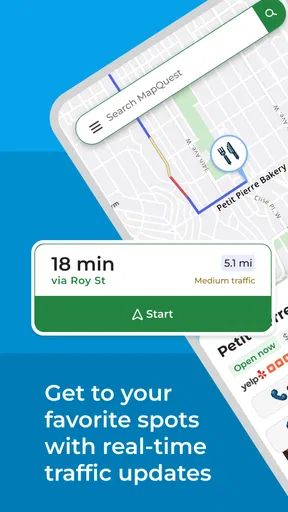
The app offers real-time traffic updates, which I found incredibly helpful. I mean, who hasn't been stuck in a gridlock, cursing their luck? With MapQuest, you can dodge traffic jams like a pro, thanks to its live traffic features. It even suggests alternate routes if it detects a slowdown on your path. Pretty nifty, right?
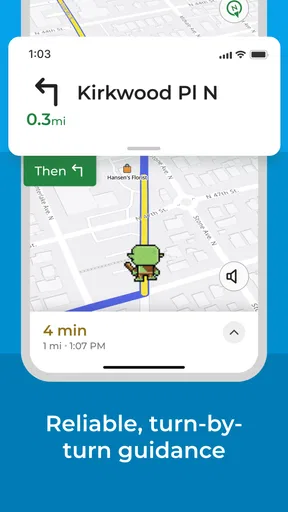
Another feature I love is the voice-guided navigation. It’s like having a co-pilot who never gets tired or needs coffee breaks. The directions are clear and concise, so you won’t find yourself frantically trying to figure out if you need to take that next exit.
Extra Perks
Beyond the basics, MapQuest offers some extras that are worth mentioning. For instance, its integration with services like Uber and car2go means you can compare prices and book a ride directly from the app. It’s a bit like having a personal travel assistant right in your pocket.
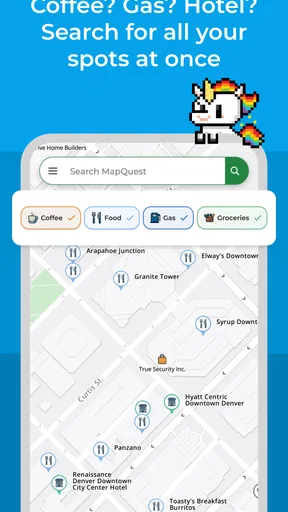
Then there’s the gas price finder. We all know how gas prices can fluctuate, so having an app that locates the cheapest gas nearby is a real wallet saver. Plus, if you’re like me and always on the hunt for a good deal, this feature is a godsend.
Maps and Customization
When it comes to maps, MapQuest doesn’t skimp on details. Whether you’re zooming in to see your exact location or planning a long road trip, the maps are detailed and accurate. You can even customize your route by adding multiple stops, which is perfect for those days when you’re running errands all over town.
And speaking of customization, the app allows you to save your favorite locations for quick access. Whether it’s your office, grandma’s house, or that taco place you love, having these spots one tap away makes life a heck of a lot easier.
Small checks that make a trip smoother
One practical habit I recommend is checking the full route before departure, not just the first turn. On a multi-stop outing, a change to the order of destinations can affect how useful the route is, and a quick look while parked helps everyone agree on the plan. Traffic suggestions are helpful prompts, not a reason to follow a turn blindly; if an alternate route looks confusing or takes you somewhere you do not expect, stay with the safe, familiar road and reassess when stopped.
I would also use the gas-price feature as a comparison aid rather than an absolute promise of savings. A station with a lower listed price may be out of the way, so include the detour in your decision. For a short trip, the extra distance can outweigh the difference at the pump. On a longer drive, checking fuel options before the tank is nearly empty gives you more room to choose.
For a household member who does not drive, the app can still be useful as a planning aid: they can help identify stops or talk through the route before the driver sets off. But I would not turn that into a reason to pass a phone back and forth while the vehicle is moving. The clearest division of labor is simple: plan together while parked, then let the driver concentrate and the passenger handle any necessary changes.
Age, trust, and sensible expectations
The app is rated for Everyone, which makes its audience broad, but that rating is not a substitute for an adult’s judgment about how a child uses a phone or travels. For a younger passenger, I would treat it as a map and trip-planning tool used with an adult, not as a way to make independent travel decisions. A teenager who is learning familiar routes may find voice guidance useful, while still needing to follow local road rules and a parent’s expectations.
MapQuest is free to download, with in-app purchases listed from $1.99 to $4.99 per item. I would check the purchase prompt carefully if the phone is shared with a child or another household member, and make sure the device’s own purchase settings suit your needs. The app itself is at version 10.11.0 and requires Android 7.0 or later; those details matter if you are setting it up on an older spare phone kept in the car. Its release goes back to February 15, 2011, so this is an established navigation name rather than a newly launched experiment.
One question people often have is whether it can replace every other map app. I would not make that assumption. It is a capable option for road navigation and planning, but if your routine depends on a particular phone ecosystem or a map service you already know well, compare them on the same familiar journey. Another sensible question is whether it suits a household that shares one login or device: it can support shared planning, but users should manage saved places and purchases thoughtfully rather than expect dedicated family controls.
Extra Perks
Beyond the basics, MapQuest offers some extras that are worth mentioning. For instance, its integration with services like Uber and car2go means you can compare prices and book a ride directly from the app. It’s a bit like having a personal travel assistant right in your pocket.
Then there’s the gas price finder. We all know how gas prices can fluctuate, so having an app that locates the cheapest gas nearby is a real wallet saver. Plus, if you’re like me and always on the hunt for a good deal, this feature is a godsend.
Maps and Customization
When it comes to maps, MapQuest doesn’t skimp on details. Whether you’re zooming in to see your exact location or planning a long road trip, the maps are detailed and accurate. You can even customize your route by adding multiple stops, which is perfect for those days when you’re running errands all over town.
And speaking of customization, the app allows you to save your favorite locations for quick access. Whether it’s your office, grandma’s house, or that taco place you love, having these spots one tap away makes life a heck of a lot easier.
Ending Thoughts
All in all, MapQuest: Get Directions is a solid choice for anyone in need of a reliable navigation app. It combines the nostalgia of a classic tool with modern features that make it relevant today. With its easy-to-use interface, real-time traffic updates, and extra features like gas price comparisons and ride-sharing integration, it’s more than just a map—it's a comprehensive travel companion.
So, if you’re tired of your current navigation app or just want to try something new, give MapQuest a shot. You might just find that it becomes your go-to guide on the road.
A practical household verdict
For a family or housemates who share driving duties, I would use MapQuest as a convenient route planner, especially when an outing has several stops or someone wants a quick traffic-aware alternative. Its clearest strengths are the approachable interface, spoken directions, and the ability to keep frequent destinations handy. Those features help reduce the small bits of friction that otherwise turn a simple errand run into repeated searching and route explanations.
I would skip it if you expect one navigation app to handle every household need automatically, or if your main priority is staying within an existing maps ecosystem that already fits your habits. It is also worth trying before relying on it for an unfamiliar, time-sensitive journey; compare its directions with your usual option while you are parked and learn how its route suggestions feel. For a free app from MapQuest, that low-stakes test is an easy way to decide whether it deserves a place on the shared phone.
Privacy and Permissions
See what permissions an app requests and how it handles your data.
- Contacts
- read your contacts, modify your contacts
- Location
- approximate location (network-based), precise location (GPS and network-based)
- Phone
- read phone status and identity
- Photos/Media/Files
- read the contents of your USB storage, modify or delete the contents of your USB storage
- Storage
- read the contents of your USB storage, modify or delete the contents of your USB storage
- Wi-Fi connection information
- view Wi-Fi connections
- Device ID & call information
- read phone status and identity
- Other
- view network connections, pair with Bluetooth devices, access Bluetooth settings, send sticky broadcast, change network connectivity, connect and disconnect from Wi-Fi, full network access, change your audio settings, run at startup, draw over other apps, control vibration, prevent device from sleeping
Verdict
Strengths of MapQuest: Get Directions
- User-friendly interface with intuitive navigation.
- Provides multiple route options for flexibility.
- Offers real-time traffic updates and alerts.
- Includes voice-guided, turn-by-turn navigation.
- Can save favorite locations for quick access.
Limitations of MapQuest: Get Directions
- Contains ads that can be distracting.
- Offline maps are not available for all areas.
- Sometimes slow GPS signal response.
- Limited customization for map display.
- Occasional inaccuracies in traffic data.
Other Releases by MapQuest
View All
RoadWarrior Route Planner
Maps & Navigation4.0
Similar Picks in This Category
View All
Uber - Request a ride
Uber Technologies, Inc.4.7


inDrive. Rides with fair fares
® SUOL INNOVATIONS LTD4.8

Yandex Go: Taxi Food Delivery
Mikromobilnost LLC Belgrade4.8

Bolt: Request a Ride
Bolt Technology4.8

Rapido: Bike-Taxi, Auto & Cabs
Rapido Bike Taxi4.8
Frequently Asked Questions
What features does MapQuest: Get Directions offer?
MapQuest: Get Directions provides a comprehensive suite of features, including real-time GPS navigation, live traffic updates, and route optimization. It also offers nearby points of interest, such as restaurants and gas stations, and supports both driving and walking directions. Additionally, users can explore satellite and street views for a more detailed navigation experience.
Is MapQuest: Get Directions free to use?
Yes, MapQuest: Get Directions is free to download and use. However, it offers in-app purchases and ads. While the basic navigation and mapping features are available for free, premium features or ad-free experiences might require additional purchases. Users should check the app’s store page for specific pricing details.
How reliable is the real-time traffic information on MapQuest?
MapQuest leverages various data sources to provide real-time traffic information, helping users avoid congestion and delays. While it is generally reliable, users should be aware that traffic conditions can change rapidly, and no navigation app can guarantee 100% accuracy. It’s advisable to check the app frequently during travel for the latest updates.
Can I use MapQuest: Get Directions offline?
MapQuest: Get Directions primarily requires an internet connection for accessing maps and real-time features. However, users can save maps for offline use, allowing for navigation without data usage. For the best experience, especially with live updates, a stable internet connection is recommended, but offline maps can be a useful backup option.
Is MapQuest suitable for international travel?
MapQuest supports navigation in many countries, making it a viable option for international travel. However, its coverage and the level of detail can vary by region. Users planning to travel abroad should verify the app’s map coverage and features in their destination country to ensure it meets their navigation needs.
